CSS transitions allows you to change property values smoothly, over a given duration.
To create a transition effect, you must specify two things:
Note: If the duration part is not specified, the transition will have no effect, because the default value is 0.
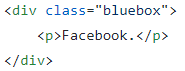
Let's specify a div:
Now let's give it a few properties:
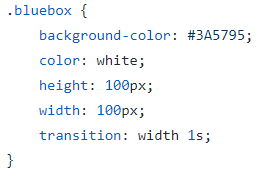
The "bluebox" element has also specified a transition effect for the width property, with a duration of 1 second. The transition effect will start when the specified CSS property (width) changes value.
Now, let's specify a new value for the width property when a user mouses over the element:
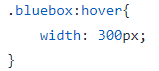
Notice that when the cursor mouses out of the element, it will gradually change back to its original style.
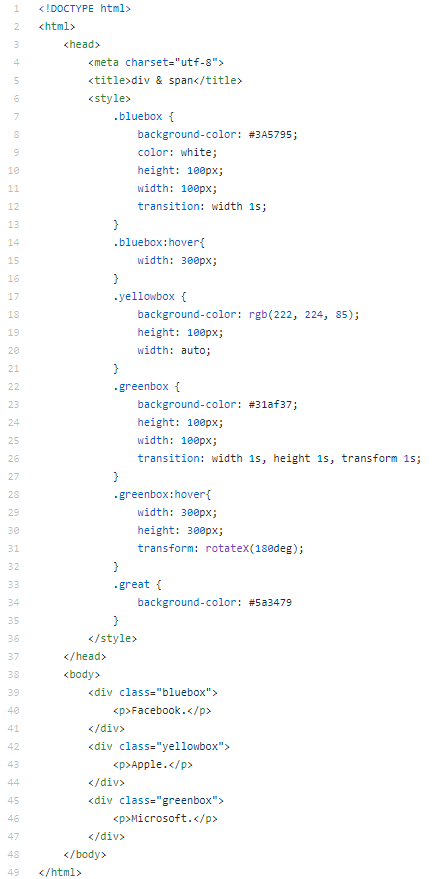
The following example adds a transition effect for the width, height, and transform property, with a duration of 1 second for the width, 1 second for the height, and 1 second for the transform:
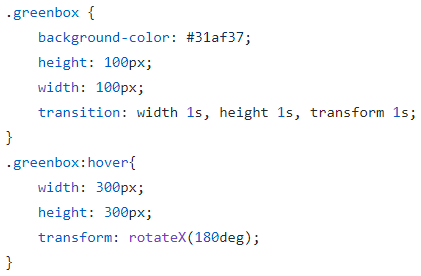
Source code: